- Salesforce uses the OAuth protocol to allow users of applications to securely access data without having to reveal username and password credentials.
- Before authenticate the application you need Connected App. Reference: https://help.salesforce.com/articleView?id=connected_app_create.htm&type=5
- OAuth Endpoints: Use to make authentication requests to Server.
Authorization:
https://login.salesforce.com/services/oauth2/authorize

Token Requests:
https://login.salesforce.com/services/oauth2/token

Revoking OAuth Tokens:
https://login.salesforce.com/services/oauth2/revoke
How User Agent Flow Works
- Redirection to Authorization Endpoint
The access token is sent as an HTTP redirection to the connected app, which connects the client app to the Salesforce API via the user-agent flow. The authorization server is requested by the linked app to reroute the user-agent to a web server or an accessible local resource. The linked app can receive the access token from the web server after it has extracted it from the response. The token answer is given as a hash tag (#) fragment on the URL for security reasons. By using this style, referral headers cannot transfer the token to the server or any other servers.
The connected app goes to the authorization endpoint to obtain the user’s permission to access Salesforce data. Here’s an illustration of an HTTP redirect.
Payload
https://login.salesforce.com/services/oauth2/authorize?response_type=token&client_id=YOUR_CONSUMER_KEY&redirect_uri=CALLBACK_URL

Sample Payload
https://login.salesforce.com/services/oauth2/authorize?response_type=token&client_id=3MVxxxxxxxxx&redirect_uri=https://login.salesforce.com/services/oauth2/success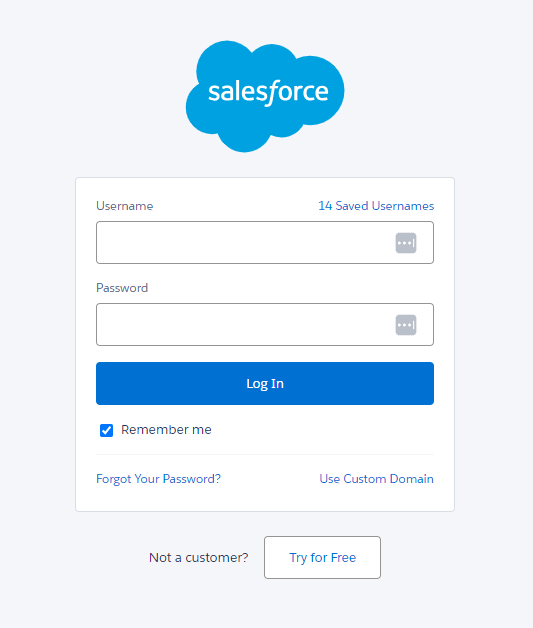
- User Authenticates and Authorizes Access
Using their credentials, the user logs into Salesforce. Since the user communicates directly with the authorization endpoint, the user’s credentials are never visible to the application.
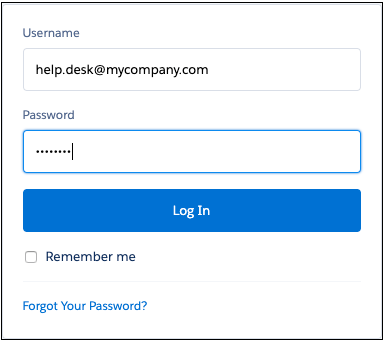
Salesforce takes users to the approval page in order to authorize them to access the application after a successful login.
- Click Allow button to Authorize the request
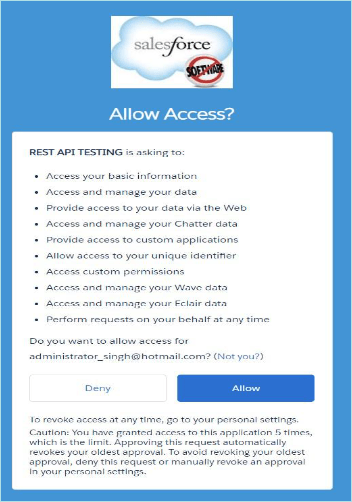
- Salesforce Grants Access Token
Salesforce delivers a user to the callback URL if they grant permission to view a connected application. The access token that has been issued is part of the redirection and can be extracted by the linked app to initiate data access on the user’s behalf. The callback from the server is shown in this example. In place of HTTP query parameters, the response is enclosed in a hash tag (#).
https://login.salesforce.com/services/oauth2/success#access_token=00Dxxxxxxxxxxx%21AQMAQB4STFwZjVk66uzCiK9n6j0B7dyRxP_yH7enEOK4Dty81mliGUPGWinrRTS8kEzKRpK6rAGn.T9QA9uXAyRkL9tqVvxB&refresh_token=5Aexxxxxxxxxxxx.ilyIgvVWlUAWKEwKmqmB2K80RLYcqfUSl5wEK4FSze3AiGyQvlkUq48fXpzSzChRdzQDrA&instance_url=https%3A%2F%2Fxxxxx.my.salesforce.com&id=https%3A%2F%2Flogin.salesforce.com%2Fid%2F00Dxxxxxxx%2F005xxxxxxxxx&issued_at=1707164375388&signature=qSVHYyONu3qKxWgn8017%2FAIzZGsLIUi84%2F2agq3Rto0%3D&scope=id+api+web+full+chatter_api+visualforce+refresh_token+openid+custom_permissions+wave_api&token_type=Bearer Salesforce Training
Leave a comment