- Salesforce uses the OAuth protocol to allow users of applications to securely access data without having to reveal username and password credentials.
- Before authenticate the application you need Connected App. Reference: https://help.salesforce.com/articleView?id=connected_app_create.htm&type=5
- OAuth Endpoints: Use to make authentication requests to Server.
Authorization:
https://login.salesforce.com/services/oauth2/authorize

Token Requests:
https://login.salesforce.com/services/oauth2/token

Revoking OAuth Tokens:
https://login.salesforce.com/services/oauth2/revoke
How Web Server Flow Works
- Request an Authorization Code
The external web service posts an authorization code request with the authorization code grant type to the Salesforce authorization endpoint via the connected app to start the OAuth 2.0 web server flow. The linked app can demonstrate, through the use of an authorization code, that it is approved as a secure visitor to the website and that it is permitted to obtain an access token.
Paylaod
https://login.salesforce.com/services/oauth2/authorize?response_type=code&client_id=YOUR_CONSUMER_KEY&redirect_uri=CALLBACK_URL

Sample Payload
https://login.salesforce.com/services/oauth2/authorize?response_type=code&client_id=3MVxxxxxxxxx&redirect_uri=https://login.salesforce.com/services/oauth2/success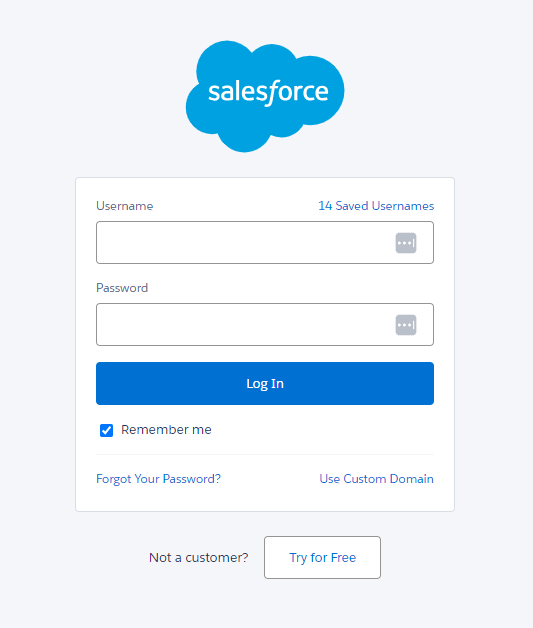
- User Authenticates and Authorizes Access
Logging in to Salesforce is required for authenticating users before Salesforce can send authorization codes to associated apps.
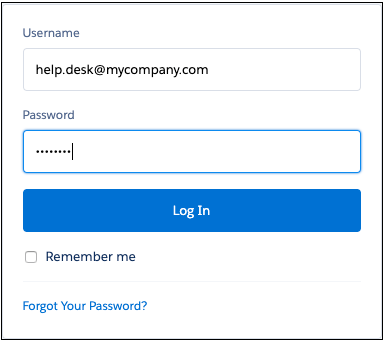
Salesforce takes users to the approval page in order to authorize them to access the application after a successful login. Users do not need to approve access again if they have already granted access.
- Click Allow button to Authorize the request
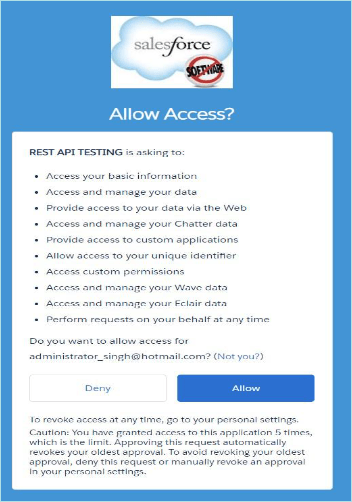
- Salesforce Grants Authorization Code
Salesforce takes users who grant access to a connected app to the callback URL, where they can view the callback by entering an authorization code.
https://login.salesforce.com/services/oauth2/success?code=aPrx8yPWn0CtxznGKfKe07IgWFP0DT8XwRgU48rWVOZ6HaAa4EmGllSr3Rp_bQobFvnH1gDFEQ%3D%3D- Request an Access Token
The linked app sends the permission code as an HTTP POST request to the Salesforce token endpoint in order to obtain an access token.
{
    "access_token": "00Dxxxxxxxxxx!AQMAQJeGyzKTx8chKIVpv_bQ2gFW5r9Ui.6h_WgIxE4cU8vC6F7QYNEmnGVrh3HqdOhqiB7pjJ3_r.d43YGOioxqZ.aeCCsH",
    "refresh_token": "5AexxxxxxxpoP.ilyIgvVWlUAWKEwKmqmB2K80RLYcqfUSm0DnQ2xbc3obZN0rGPkQbcG8PIqDFNzYPOHTzE",
    "signature": "iTmbxxxx/FdspiPuROB4dZVXtQvLab2LAt2NzQKmfsM=",
    "scope": "refresh_token visualforce wave_api custom_permissions web openid chatter_api id api full",
    "id_token": "eyJxxxxiOiIyNDYiLCJ0eXAiOiJKV1QiLCJhbGciOiJSUzI1NiJ9.eyJhdF9oYXNoIjoibWZVZXZUNkJ2ZTRGSHduNHl6VkE3dyIsInN1YiI6Imh0dHBzOi8vbG9naW4uc2FsZXNmb3JjZS5jb20vaWQvMDBEMWEwMDAwMDBJdzhpRUFDLzAwNTFhMDAwMDAwUWRJc0FBSyIsImF1ZCI6IjNNVkc5c0c5WjNRMVJsYmZSdEJ0UkVVX0dUWkNJNnJZaG9ESmcycUNjelVLSXlFYWZjdnVYbkFreDl2VDc2VEhlRE5UdEFpMTNZV3pHWUtqU3pIbTIiLCJpc3MiOiJodHRwczovL2xvZ2luLnNhbGVzZm9yY2UuY29tIiwiZXhwIjoxNzA2OTY3MDYzLCJpYXQiOjE3MDY5NjY5NDN9.YQW-7-r3WwxeJj6MRo1az7TBe3gW5oAd8oWtJrSZnDPBKhq18ztVzPZHNRiuwDPD3cuv8hqlKUYHWnNnYZ0zMbVMmOpKPEfWOwqSd50814KXV24B2pSMvaO4PyLNj4mSUVcldZZacQTDhv5F13C5I8GboSrKWQ5KN2GY_UW46p9FxjKtV63UiCVFn_ZlMlGhH4D3TGEwZMvkO0WlpJlBF90_xcAilznZyrU8tI3qZ5Syuf2qr6XLBgc95sQqE12T8BjDTI65A1mt_tE0cUIrxqjORnLVRAPNyLxgiut8_f_aXjhSPzLEX8h-wJqFXx7MmKxLh2yeQfAqjv7AN8SfGn9fa91KHfiO9gnlWPmFTDnprVsgZdUaVA1Zpwqd1zpcpIqQUasVv5Wv1RvQR6iTEcDo8dgIXypf2ucRqbYp3rVFUzXheQeTb5_Y9BQ5YHLROV-66dxjRAcYXrAlxXW-5sNXvJxZi4O4hD9wVnevVM68XeVCRWXaUGAwsZKnFSffjSFaLV0OC1NfI6ipjLFQVwXLDDETnt6ykPMukf8MbCYSqE4e6hmHIgbaHFOIG6ucQNouc6OayXGj0X8pGHVb1PCVntv87N-fK_RIwg4bGC7rDn5Qzvn53KQ52JfdrWfIkNgzUWASwhL-R-0-6vduQVviNwatUz-3eo8FgcuPcPE",
    "instance_url": "https://xxxx.my.salesforce.com",
    "id": "https://login.salesforce.com/id/00D1a000000xxxxxxx/0051a000000xxxxxxx",
    "token_type": "Bearer",
    "issued_at": "1706966943835"
} Salesforce Training
Leave a comment